S·P·A AI Practice Test
Before You Start
The S·P·A AI Practice Test follows the same format as the S·P·A test.
It takes about 13 minutes, and results are shown as a level only (which may differ from your actual score).
Please review the setup and notes below, then tap [Start the Test] to begin.
Test Environment Setup
-
Take the test in
a quiet place.
Background noise may affect voice recognition.
-
Check your speaker
and mic in advance.
Check your audio and allow mic
access in your browser settings. -
Use a stable
network connection.
Public Wi-Fi can be unstable, especially when many people are connected.
How to Take the Test

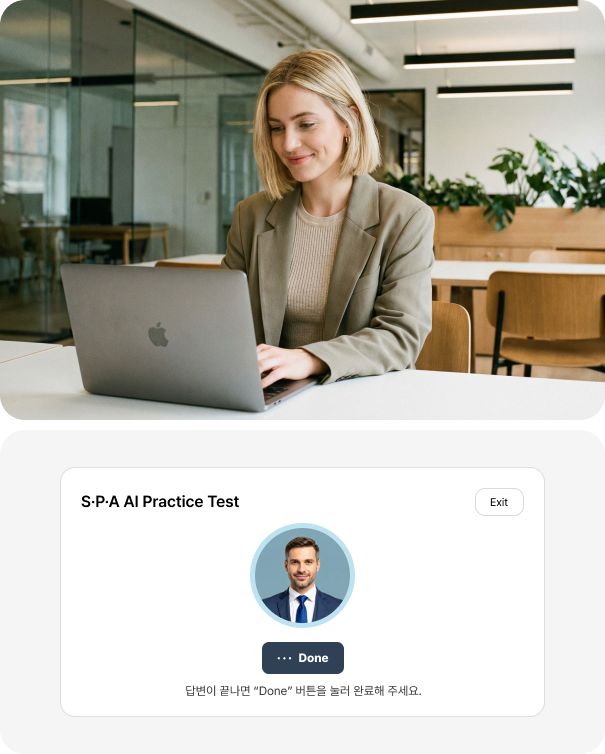
-
Please answer in English only.
Using another language or off-topic answers may affect your score.
-
Speak slowly and clearly.
Pause briefly (1–2 seconds) between sentences so the AI can capture your response accurately.
-
After answering, be sure to tap [Done].
Each question is timed. When time runs out, you’ll move to the next question automatically.
-
Your results report will be available in about 30 minutes.
You can view your results report about 30 minutes after the test ends in My Page > Test History. We’ll text you when it’s ready.
Before you start, choose your target level.
If the test is interrupted due to a network error or your browser closing, log in again to continue from where you left off.
If the test expires, please submit a 1:1 Inquiry and we’ll assist you promptly.